Are you feeling frustrated with Facebook lately? Here’s a quick, practical Facebook tip I recently discovered that should help — and I hope you’ll find it as useful as I did.
Have you noticed that pages, blogs, and brands you once “Liked” no longer appear in your main feed? It’s a common issue, but don’t worry — those pages haven’t disappeared.
Facebook provides a simple way to view posts from all the pages you follow, so you won’t miss a recipe, giveaway, or any other content from the pages you care about — at least until the platform changes things again.
Click here to repin this tip on Pinterest.
How to make sure you see all the Facebook Pages you “LIKE”
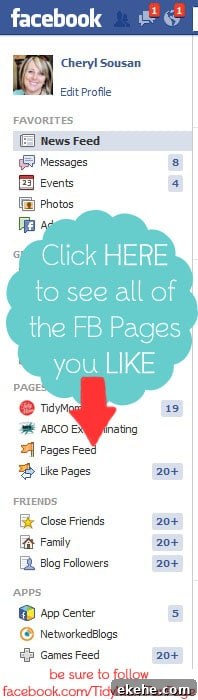
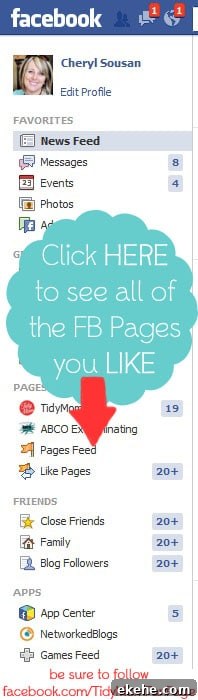
On your Facebook home page, look at the left-hand column beneath your profile picture. You should see a link labeled “Pages Feed.” Click that link and you’ll see a feed showing posts from all the pages you follow.
It’s not integrated into your main home feed, but it’s a reliable place to catch up on updates from the pages you want to follow. I make a habit of checking the Pages Feed a few times each day to avoid missing anything important.
Thanks, Facebook, for keeping us on our toes with constant changes! (Yes, that’s a bit of sarcasm.)
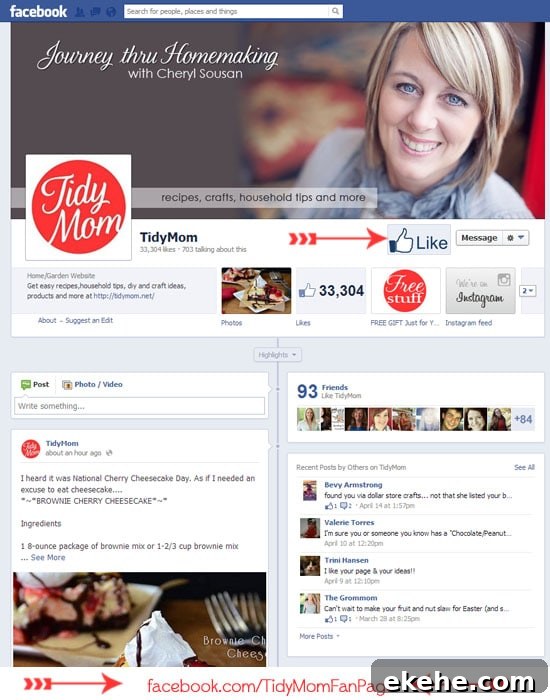
While you’re checking the Pages Feed, consider visiting the TidyMom Facebook page. It’s an active community that shares recipes, crafts and DIY ideas, household tips, tutorials, and more.
If you have any tips for making Facebook more user-friendly, please share them in the comments — practical suggestions can help everyone get more from the platform.